Virtual LAN (VLAN)
We use VLAN technology when we want to make a several segment for LAN network. VLAN is configured in switch device. We can also make a group for user depends on the need.
In VLAN theres intra-VLAN and inter-VLAN. Intra-VLAN is when communication happens between host in same VLAN-ID. Inter-VLAN is a communication between host in different VLAN-ID. VLAN 1 is the default if you not configure anything on the switch.
In this documentation we use Cisco Packet Tracer for documentation
1.VLAN part 1
- First, create this topology in your Cisco Packet Tracer
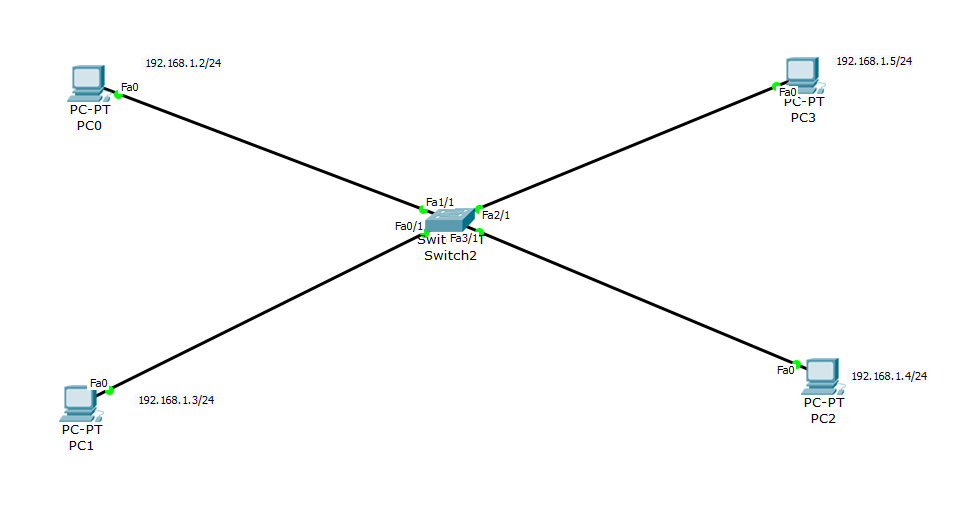
Set PC ip address to :
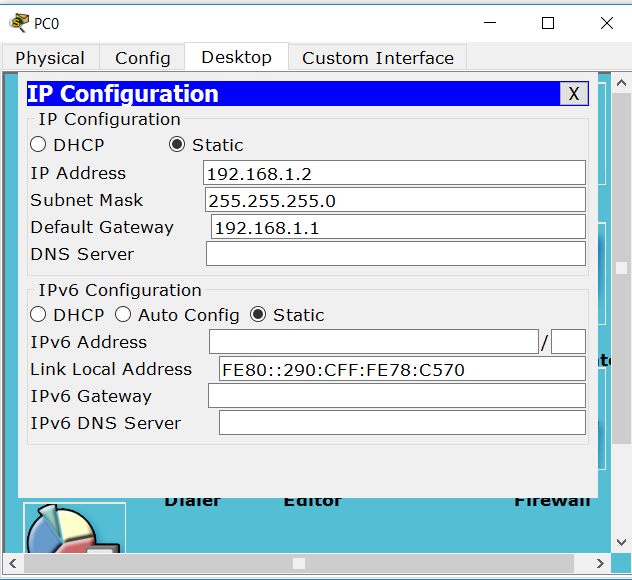
PC0 ip address
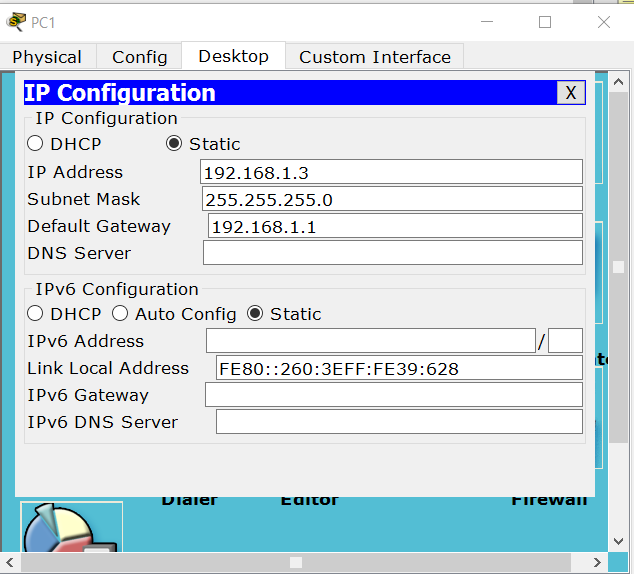
PC1 ip address
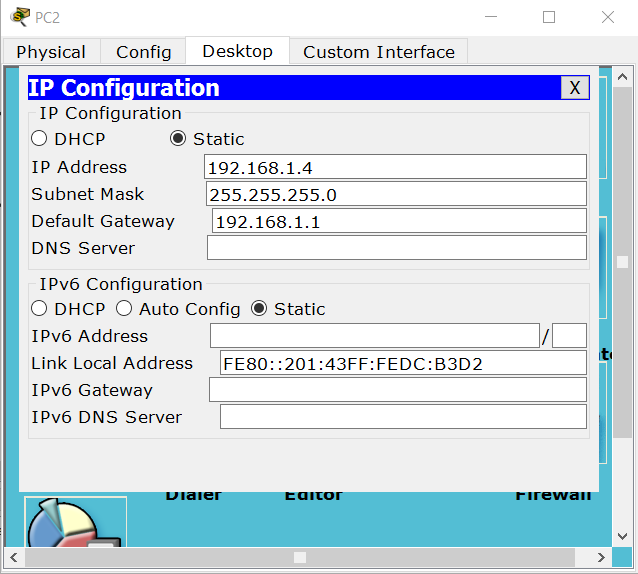
PC2 ip address
PC3 ip address
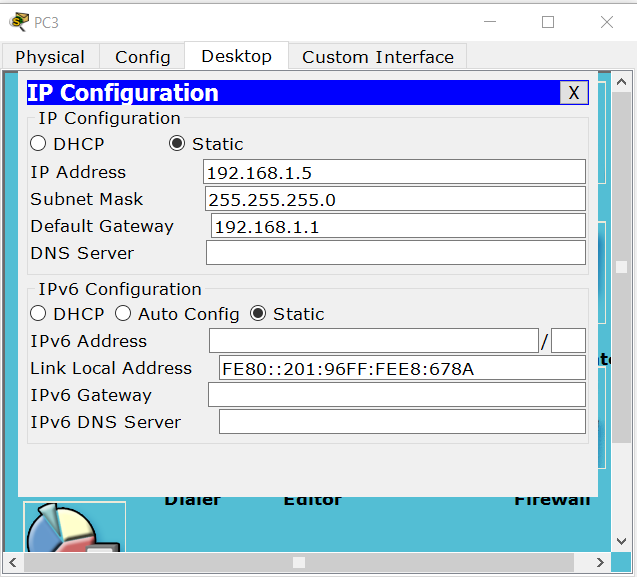
- Do ping to check reachability
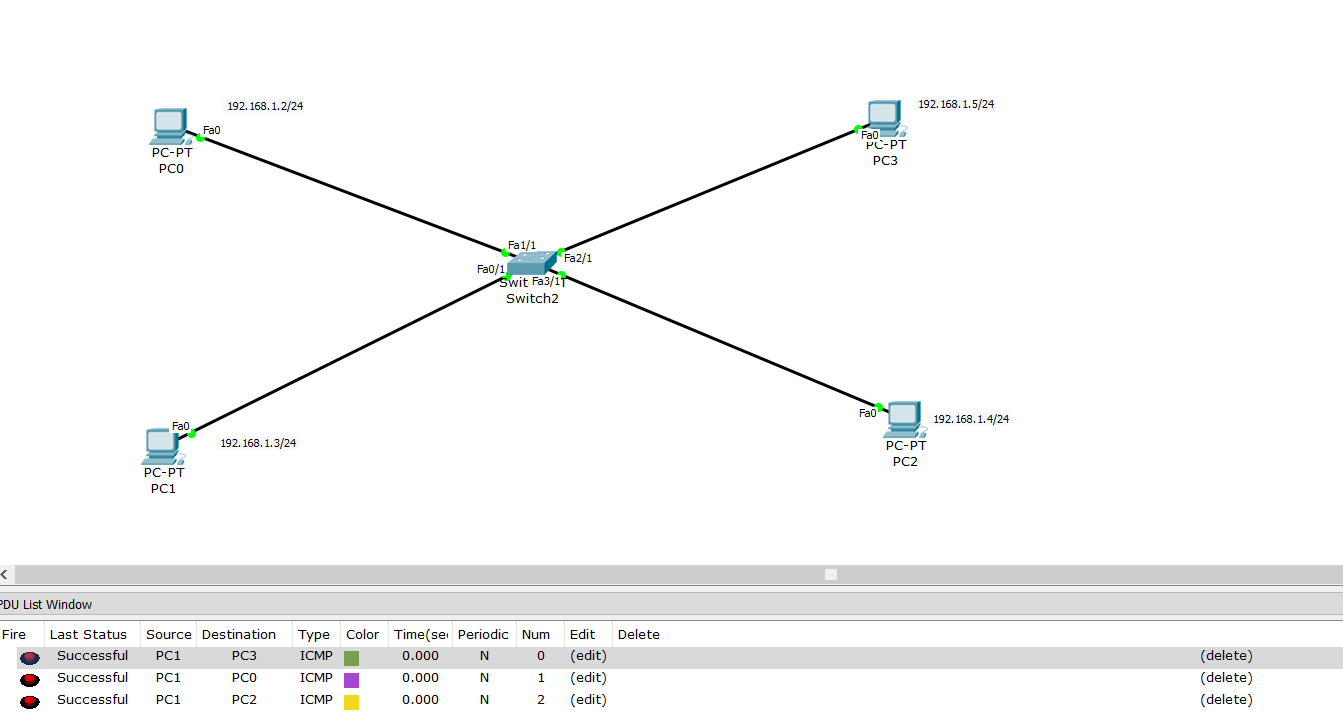
After we make sure that they can ping each other, now we make configuration on switch. In this documentation we make vlan topology with VLAN 1 and 2 as an example.
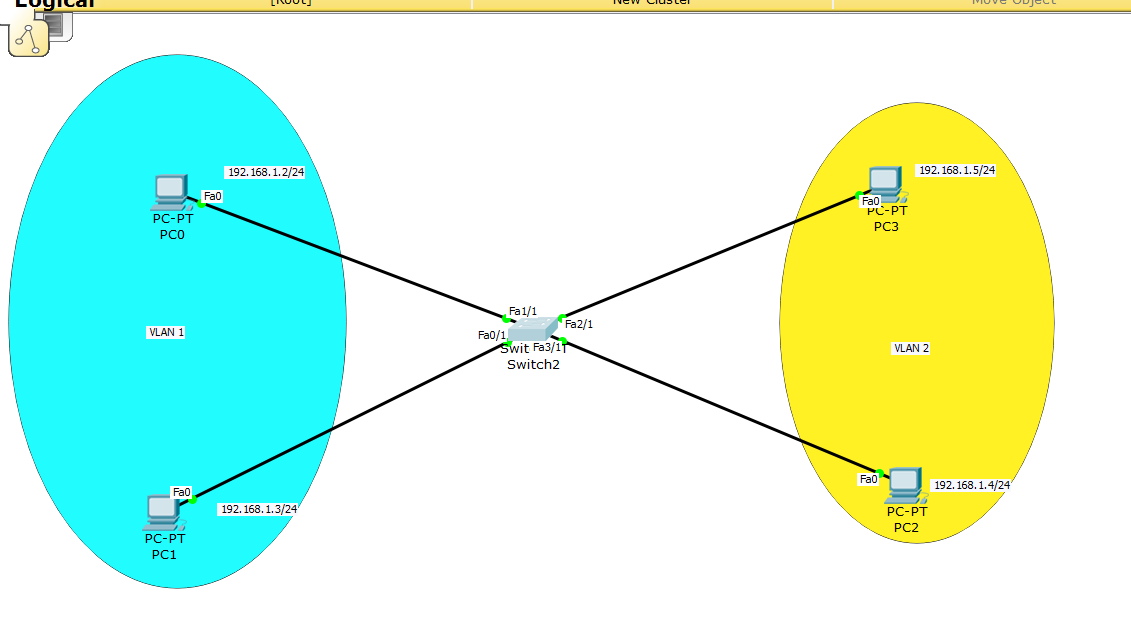
- Enable
Switch> en
- Configuration mode
Switch# conf
- Create VLAN 2 (becasue VLAN 1 already created by default)
Switch(config)# VLAN 2
- Name your VLAN 2
Switch(config-vlan)# name example
- Make PC3 into VLAN 2 group
Switch(config)# int f2/1
Switch(config-if)# switchport mode access
Switch(config-if)# switchport access vlan 2
- Make PC2 into VLAN 2 group
Switch(config)# int fa3/1
Switch(config-if)# switchport mode access
Switch(config-if)# switchport access vlan 2
Note
Look carefully at your interface, it might be different with this example
- Now try to ping PC in different VLAN-ID, it should be failed.
- Sources :
- Modul CnC SPC Network 2014